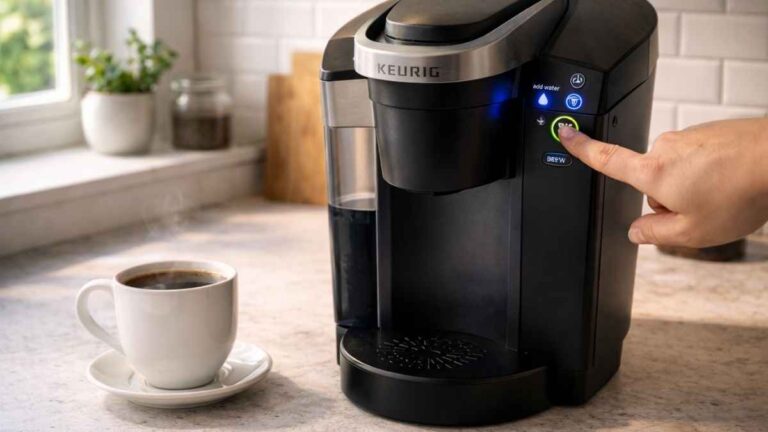
Have you ever wanted your morning coffee, but your Keurig buttons not working? I know the feeling. I’ve stared at my machine, wondering why it won’t start. Many Keurig users face issues like keurig buttons not responding or the keurig power button not working. Sometimes, the keurig brew button not working or a keurig touch screen not working can ruin your day. I’ve found easy tricks that really help. In this guide, I’ll show you how to fix your Keurig step by step. You can get your coffee flowing again without stress.
Common Reasons Why Keurig Buttons Are Not Responding
If your Keurig buttons act up, you are not alone. I have run into this problem more times than I can count. There are a few common reasons why your machine might be stubborn. Knowing them helps you fix it faster.
Electrical Glitches or Power Issues
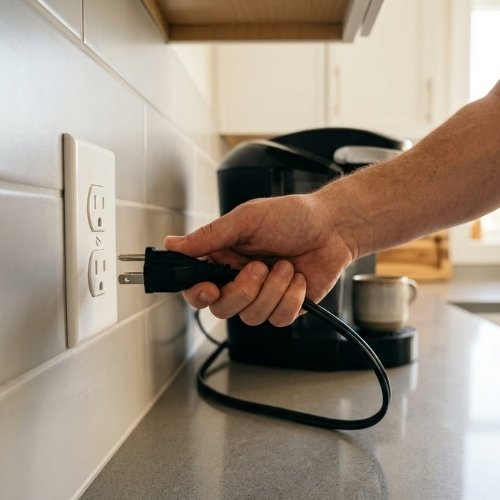
Sometimes, the keurig power button not working is just a tiny electrical hiccup. The internal computer can freeze or lose its way. A simple unplug and plug back in trick often wakes it up. I once thought my machine died, but a quick reset saved my morning. It is the easiest first step for any power fault.
Sensor or Reservoir Misalignment
Your keurig machine buttons not working can happen if the water tank is not in place. The machine might think it is empty, even when it is full. Take the tank off and put it back down firmly to fix this. My own machine once sat idle just because the tank was slightly loose. A snug fit lets the sensors know it is ready to brew.
Clogged Needles Affecting Brew Function
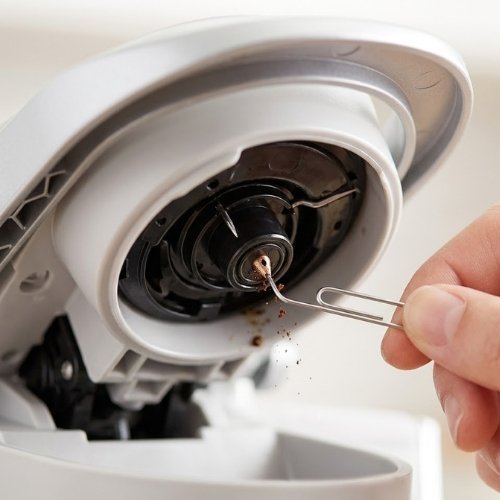
If the keurig brew button not working, check the K-Cup needle for a block. Coffee grounds can get stuck in the tiny holes over time. I have used a small paperclip to clear mine, and it works every single time. This simple poke clears out the old gunk so water can flow. It is a common fix for a button that feels “dead” during a brew.
Scale Buildup Affecting Touch Panels
Hard water can create white crusty deposits inside your Keurig over many months. That buildup can make the keurig touch screen not working or make buttons respond very slowly. Running a descaling cycle with vinegar or a kit helps a lot. I notice my screen gets much faster after a good deep clean. Clean water paths mean a much happier and faster touch panel.
Physical Obstruction or Sticky Buttons
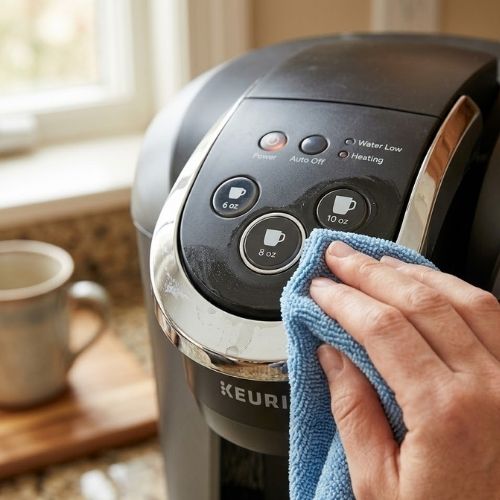
Sometimes the buttons are literally stuck in place by a spill. Spilled syrup, coffee drips, or sticky sugar can make keurig buttons unresponsive. Cleaning around each button with a damp cloth usually brings them back to life. I once spilled a bit of honey near mine and the buttons would not budge. A quick wipe made them click perfectly again.
Quick Fixes for Unresponsive Keurig Buttons
Perform a Hard Power Reset
If your Keurig buttons are still not working, start with a hard reset. Unplug your machine for 10–30 minutes. This resets the internal computer and clears minor glitches. I’ve done this many times, and it often fixes multiple button issues at once. Think of it like giving your machine a short nap before it wakes up ready to brew.
Clear the “Add Water” Error
Sometimes the machine thinks it’s empty, even when the tank is full. To fix this, remove the water reservoir and refill it properly. Let it sit for about 10 minutes so the sensor resets. I’ve had mornings ruined until I learned this trick. A simple refill often brings the buttons back to life.
Open and Close the Handle
The handle can sometimes stop the buttons from responding. Lift and lower it slowly to let the machine know a new pod is ready. I’ve found that this small step wakes up the button panel. It’s quick and usually works without any tools.
Toggle the Power Button
Press the power button and wait for the machine to start its normal sequence. If the buttons were unresponsive, this can refresh the system. I do this almost every time I notice a lag. A little patience may save you a lot of trouble.
Cleaning and Maintenance Fixes
Clean the Brew Needle
If your keurig brew button not working, the needle could be blocked. Coffee grounds can clog the tiny holes over time. I use a paperclip to gently clear it. Just poke the needle carefully, and water will flow again. This simple trick often makes a “dead” brew button work like new.
Descale the Machine
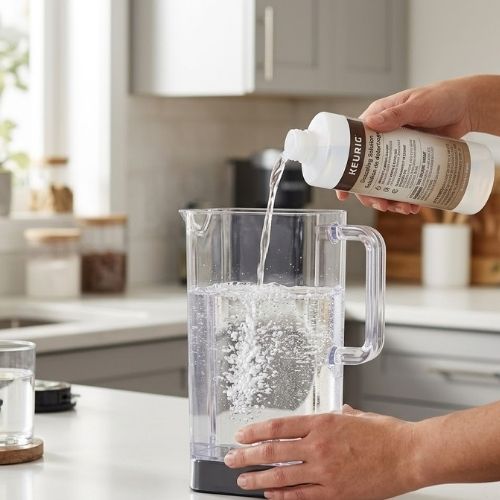
Hard water can leave minerals inside your Keurig. This buildup can make buttons slow or unresponsive. Running a descaling cycle with vinegar or a kit usually fixes it. I do this every few months. It keeps my machine smooth and fast. You can also watch a video on how to descale a Keurig—it shows the process step by step.
Check for Stuck Buttons
Sometimes buttons get stuck from spills. Coffee, syrup, or sugar can block them. I clean around each button with a damp cloth. Even a quick wipe can make the buttons click perfectly again. Small maintenance like this prevents most problems.
Keeping your Keurig clean and maintained helps prevent button issues before they start. With these tricks, your machine stays responsive and ready to brew every morning.
When to Call Keurig Support
Most button problems can be fixed at home. But sometimes, it is not your fault. If nothing works, your Keurig might have an internal electrical issue. Signs include buttons that never respond, lights flickering, or the machine refusing to start. I once had a Keurig that would not wake up at all, no matter what I tried.
If this happens, call Keurig support. They can check problems that are hard to fix at home. Keep your warranty handy before you call. This makes the process easier, and you may even get a replacement if needed.
It can feel frustrating, but professional help can save your machine—and your mornings. Knowing when to call prevents wasted time and stress. Think of it as getting a mechanic for your coffee maker.
“Official Keurig support article on unresponsive buttons”
Tips to Prevent Keurig Button Issues
One of the best ways to avoid button problems is regular maintenance. I always follow a regular descaling schedule. Hard water leaves mineral deposits inside the machine, and these can make buttons slow or unresponsive. Running a descaling cycle every few months keeps my Keurig smooth and reliable.
Handle your machine carefully. Proper handling of the handle and buttons makes a big difference. I learned the hard way that slamming the handle or pressing buttons too hard can cause sensor issues. Gently open and close the handle, and press buttons with steady pressure. Your machine will thank you.
Watch your water and pods. Avoid overfilling water or using incompatible pods. Too much water can flood sensors, and the wrong pods can jam the needle. I always stick to recommended pods and fill the reservoir carefully. These small habits prevent most button issues before they start.
Taking a few minutes for maintenance each week keeps your Keurig happy. A clean, careful routine makes mornings easier and ensures your coffee flows smoothly every day.
Conclusion
A dead brewer can ruin your day. Do not stress over Keurig buttons not working. Most bugs are a breeze to fix at home. A fast power plug trick cures a lot of bad faults fast.
If a reset fails, try a deep clean next. Grab a small clip to clear the sharp brew pin. Wash the inside parts to clear out bad scale. Wipe down stuck keys with a warm, wet rag. These fast steps save my own brew all the time.
You do not need to buy a new brewer yet. Just give your machine a bit of care. Try these fixes today and get your Keurig brewing again! You will be back to hot cups in no time.
FAQs About Keurig Buttons
Why is my Keurig power button not working?
If your Keurig power button not working, it may be a small power glitch. Just pull the plug out of the wall. Wait ten full minutes. Plug it back in to fix it fast.
How do I fix a Keurig brew button that isn’t responding?
A Keurig brew button not working is bad. Old coffee grounds block the flow. Take a small wire clip. Poke the sharp hole to clean out the gunk. This will fix it right up.
Can a hard reset really fix unresponsive Keurig buttons?
Yes, a quick reset helps unresponsive Keurig buttons wake up. If you have Keurig buttons not working, unplug the cord. Let it rest for a bit. This clears the bad bugs.
How often should I descale my Keurig to prevent button issues?
You should wash it out four times a year. Hard scale makes Keurig machine buttons not working right. A good clean keeps the whole brewer fast, safe, and free of jams.
What do I do if the Keurig touch screen is not working?
A Keurig touch screen not working can be fixed fast. Lift the top lid up high and shut it down firm. You can also wipe the screen with a damp rag to clear off dirt.
Related Post:
- How to Use a Keurig Machine
- How to clean a coffee maker without vinegar
- How to Fix Leaking Bunn Coffee Maker
- how to unlock hopper on breville coffee maker
- how to clean my braun coffee maker
- how to fix krups coffee maker
- jura coffee machine not hot enough

“I’m Jackson, a coffee enthusiast and the founder of CofeBrew. I specialize in testing home brewing equipment and creating easy-to-follow recipes to help you brew the perfect cup every morning.”